The PDF template generator for humans and AI agents
PDFs, but snappy
Design a PDF template in the editor, or let an AI agent build one from a screenshot. Then generate perfect PDFs from JSON with one API call. All before your coffee cools.
In beta — free while we tighten the last screws.
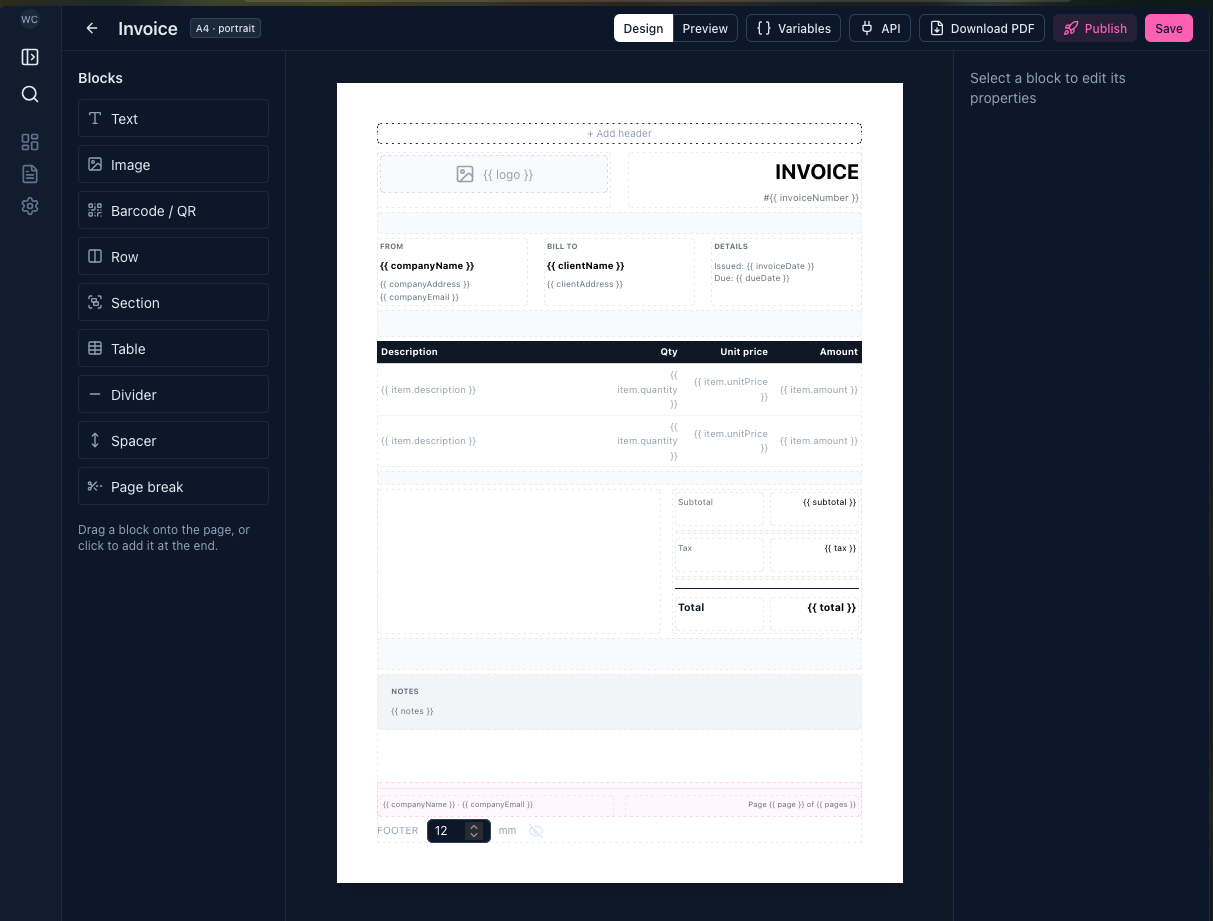
Template → variables → PDF
Design it
Drag blocks onto the page, start from a ready-made starter, or ask the AI assistant to build it.
Variable-ize it
Swap anything that changes for a {{ variable }} and preview with sample data.
POST it
One API call with your JSON returns the finished PDF, typically in well under a second.
POST /api/v1/render { "templateId": "6512f3a9c4d21b0f7e8a4c19", "data": { "clientName": "Acme Studio", "total": "$1,130.50" } }
→ 200 · application/pdf
Starters for the boring stuff
Browse all starters →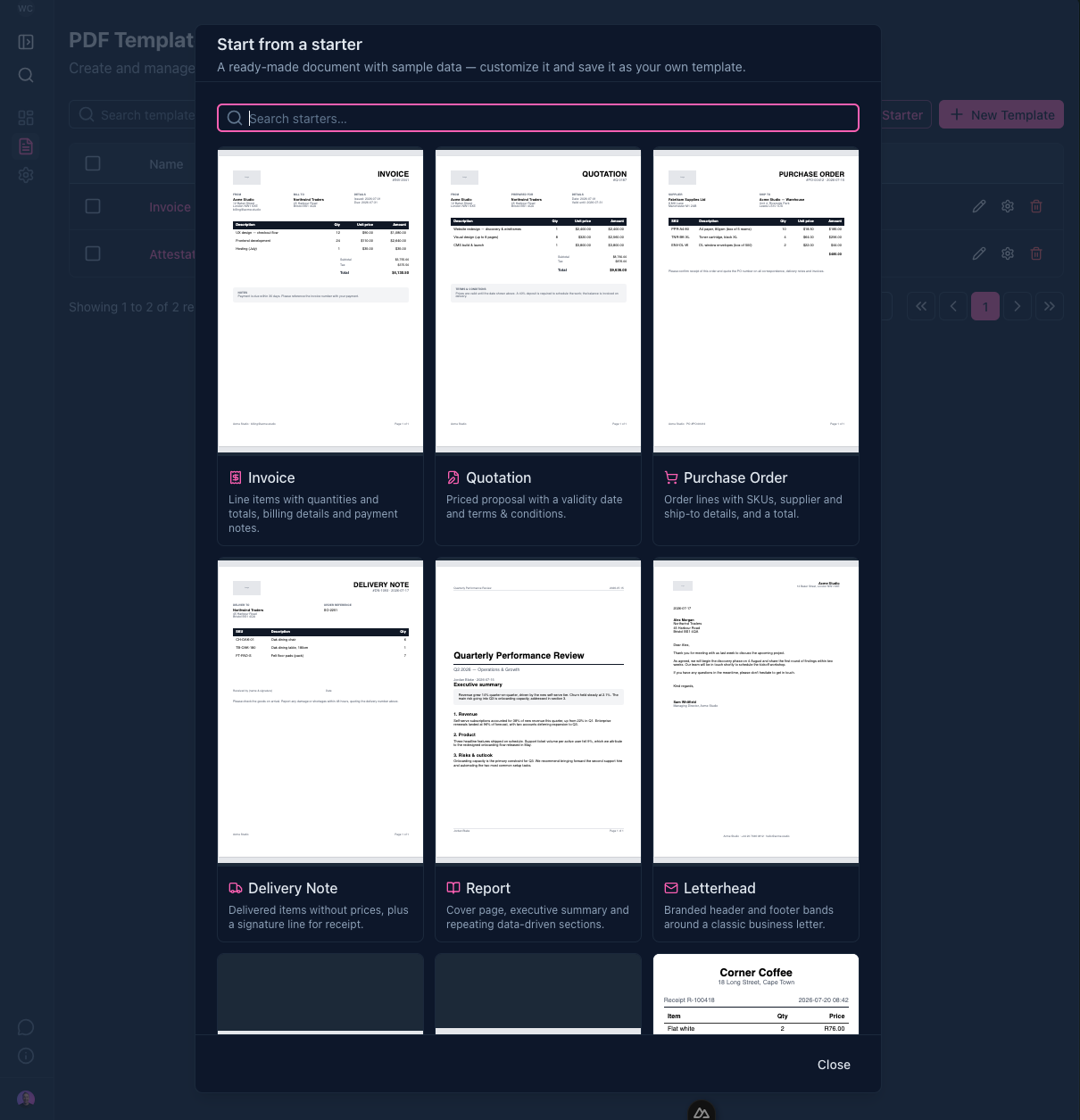
AI assistant
Show it a document. Get a template.
Describe the PDF you need, or drop in a screenshot or PDF of one you already send. The AI assistant builds the template, checks the rendered pages, and tells you what it couldn't match. Then keep chatting to refine it.
In the editor
- Paste a screenshot or attach a PDF and it rebuilds it, variables included
- Ask for changes in plain words: "make the header navy", "add a VAT column"
- Every change shows up live, and Undo takes the last one back
From Claude Code or Cursor
Connect Snappy as an MCP server with an API key. Your assistant can create and edit templates, preview the real pages, and report on render usage without leaving your editor.
claude mcp add --transport http snappy-pdf https://snappypdf.co/api/mcp --header "Authorization: Bearer spdf_…"
- Building the template
- Checking the preview
Done. It matches your screenshot. The reference, customer, line items and total are variables, filled with the values from your file so the preview looks the same.
Template updatedThe small print, minus the pain
Questions, answered
- What is SnappyPDF?
- SnappyPDF is a PDF template generator and PDF generation API. You, or an AI agent, design a template once and mark the parts that change as variables. Your app then sends JSON to the render API and gets a finished PDF back.
- How do I generate a PDF from JSON?
- Publish your template, then POST its templateId and your data to /api/v1/render with an API key. The response is the PDF itself, usually in well under a second. Tables grow with your data and paginate on their own.
- Can AI agents create PDF templates?
- Yes. SnappyPDF runs an MCP server, so agents in Claude Code, Cursor and other MCP clients can create and edit templates, preview the rendered pages, check render usage, and publish when you ask them to. Agents generate the PDFs themselves through the same REST API your app uses.
- Can I turn an existing PDF or screenshot into a template?
- Yes. Attach it in the editor's AI assistant, or share it with your agent. It rebuilds the layout, turns the values that change into variables, and fills in sample data from your document so the preview matches. Fonts are approximated, and it tells you anything it couldn't reproduce.
- What can a PDF template include?
- Text, images, tables with repeating rows and a totals line, barcodes and QR codes, repeating sections, headers and footers with page numbers, and page breaks, laid out in real millimetres on A4, Letter, shipping labels, tickets, receipts or any custom size.
- Will changing a template break my integration?
- No. You edit a private draft, and the API only serves published versions, which never change. Publish when you're ready, or pin a version number in your API calls to stay on it.
- How much does SnappyPDF cost?
- It's free while in beta: no card and no watermarks. Early users get grandfathered pricing.

Built by
Hi, I'm Wouter
I'm a maker from Cape Town, South Africa, running Hoot Originals. I started it as a web agency, and after over a decade of client projects we switched to building and running our own software products, like xform and Searchferret and now SnappyPDF too.
I care about software that's really easy to use without giving up power and flexibility. SnappyPDF is a small, owner-run product, so if something's missing or broken, you'll be talking to the person who fixes it.
Say hi on X →Stop hand-crafting PDFs
Your first template takes five minutes. The ten-thousandth PDF takes a fraction of a second.
Try it free